
Last updated: November 18, 2026
- What a lightweight spec actually needs to record
- How do you write a decision record people will still trust in 6 months?
- What should go in component guidelines, and what should stay out?
- How to document usage guidelines without bloating the page
- What to leave out so the spec stays maintainable
- A simple structure for the design system specification document
- What a lightweight spec is not for
- Key Takeaways
Quick Answer: A lightweight design system specification document should record 4 things: the decision, the reason, the scope, and one example. In How to Document Design System Decisions in a Lightweight Spec, that is usually enough to keep the document usable without turning it into a second system.
A design system specification document should record the decisions that keep the system usable, not every debate that led there. The useful spec is short enough to maintain and specific enough that a designer, developer, or writer can use it without guessing what “approved” means.
What a lightweight spec actually needs to record
A lightweight spec records the decision, the reason, the boundaries, and the example that shows how to use it. That four-part shape keeps the document useful without turning it into a second design system. If the page is for the design system documentation spec, it should answer one question at a time: What changed, why did it change, where does it apply, and what should people do with it?
The easiest mistake is to write a narrative history. A 12-paragraph backstory might feel complete, but it ages badly and buries the part people need most. A decision log entry for a button label, spacing token, or empty state usually needs less than 200 words. If the team cannot understand the rule after a minute of reading, the spec is too heavy.
Use the spec to capture things that are hard to infer from the component itself:
- the decision made
- the reason it exists
- the scope, such as web only or all products
- the expected behavior in one known state
- a linked example, mock, or handoff note
- the contributor or owner who can explain the edge case
Leave out discussion that does not change the outcome. Slack arguments, option lists that were rejected for taste only, and long transcripts are noise unless they explain a future risk. A good spec is not a meeting record. It is a working agreement.
This page fits under the design system foundations hub because it is about the document structure, not governance or contribution workflow. That distinction matters. A spec tells people what the system is; governance tells them how it stays consistent.
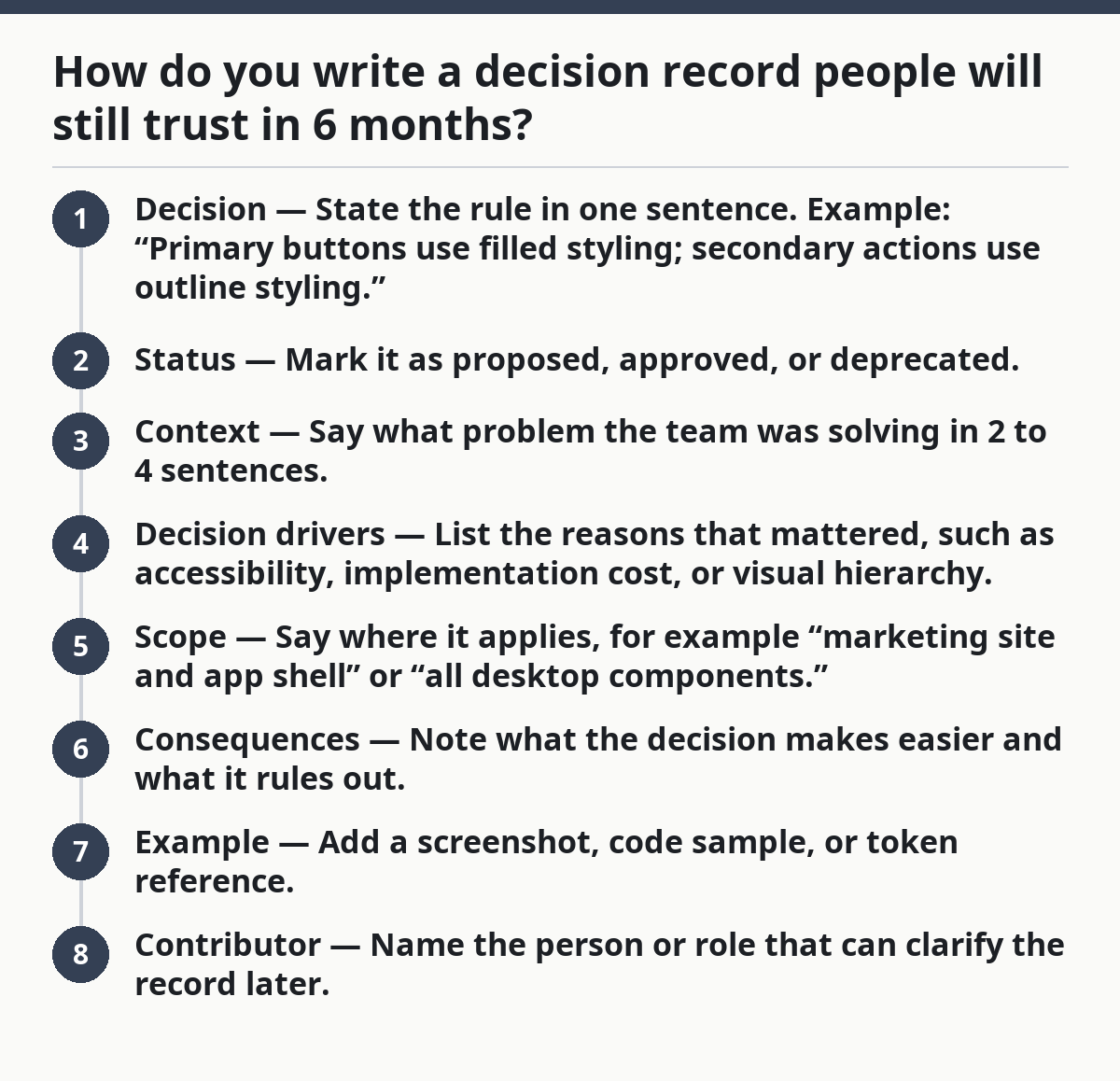
How do you write a decision record people will still trust in 6 months?
You write a decision record by naming the choice, pinning it to a date or version, and stating the trade-off in plain language. A record that can survive 6 months needs enough context to explain why the rule exists when the original thread is forgotten.
A simple decision record template works well:
- Decision — State the rule in one sentence. Example: “Primary buttons use filled styling; secondary actions use outline styling.”
- Status — Mark it as proposed, approved, or deprecated.
- Context — Say what problem the team was solving in 2 to 4 sentences.
- Decision drivers — List the reasons that mattered, such as accessibility, implementation cost, or visual hierarchy.
- Scope — Say where it applies, for example “marketing site and app shell” or “all desktop components.”
- Consequences — Note what the decision makes easier and what it rules out.
- Example — Add a screenshot, code sample, or token reference.
- Contributor — Name the person or role that can clarify the record later.
A decision record is not a referendum on quality. It should not try to prove every alternative was wrong. It should show why this choice won with the information available. That matters because design systems change. If the record only says “the team preferred it,” the next maintainer has nothing to defend.
Use dates or version tags when decisions are likely to shift. “Approved for v2.3” is more useful than “recently approved.” If the spec sits in a wiki or design tool that changes often, the version marker helps readers tell old guidance from current guidance. Without that anchor, the document becomes a pile of old intent.
Keep the record short enough that a reviewer can approve it in one pass. If the explanation takes a page, split the decision from the background research. The spec should hold the answer, not the entire argument.
What should go in component guidelines, and what should stay out?
Component guidelines should cover behavior, anatomy, states, and constraints, while leaving research notes and implementation debates elsewhere. The goal is to help someone use the component correctly on page 1, not to archive every internal thought about it.
A useful component guideline usually includes:
- Purpose: what job the component does
- Anatomy: the parts that make it up
- Variants: the allowed forms, such as size, emphasis, or orientation
- States: default, hover, focus, disabled, loading, and error where relevant
- Content rules: label length, truncation, line count, or icon use
- Accessibility notes: keyboard behavior, focus order, and naming guidance
- Do and don’t examples: one correct use and one bad use
The common trap is to treat the component page like a requirements dump. That produces a bloated page with half a dozen screenshots and no clear rule. A better guideline says, for example, “Use a 16 px icon only when the action needs reinforcement; do not pair an icon with a text button unless the icon adds meaning.” That one line is more useful than three paragraphs about visual taste.
Another trap is over-specifying implementation. If the page says how a component should look in exact CSS terms, it can become brittle when the underlying token scale changes. A spec should mention tokens or named values when that is the contract, but it should avoid hard-coding every pixel unless the component truly depends on it. A 1 px border in a mock may matter; the point is whether that border is part of the standard or just a rendering detail.
A good rule of thumb: if a detail would be obvious from the code or the design file, leave it out. If the detail prevents misuse, document it. For accessibility, implementation, or product-risk decisions, consult the relevant standards or a professional on the team before you lock the wording, and cite the source in the spec. That keeps the page small enough to maintain and large enough to matter.
How to document usage guidelines without bloating the page
You document usage guidelines by showing the decision in context, then trimming the rest to the smallest useful example. A good usage note often fits in 3 parts: when to use it, when not to use it, and what to do instead.
Use this sequence when writing a usage note:
- Name the situation — Start with a concrete trigger, such as “Use this modal only for a task that must interrupt the current flow.” The reader should know the setting before they read the rule.
- State the limit — Add one boundary, such as “Avoid it for simple confirmations.” That keeps the note from becoming vague advice.
- Show the result — Include a 1-line example, screenshot, or code snippet so the rule is visible.
- Add the fallback — If the component should not be used, name the alternative.
- Link the owner — Point to the contributor or maintainer for edge cases.
The strongest usage notes often include do and don’t examples because they stop the reader from translating the rule incorrectly. A “do” example should show the component in a real product context, not in isolation. A “don’t” example should show the misuse and the reason it fails. If the note says “don’t stack two primary actions in one row,” the example should show that exact layout, not a generic warning.
Keep examples to one or two per rule. A gallery of six similar screenshots looks thorough, but it often hides the core rule. The reader needs contrast, not volume.
A practical length target is one screen of text plus examples. If a guideline needs more than that, the document probably contains two separate decisions. Split them before the page starts to sprawl. Sprawl can make a design system spec unreadable within a single release cycle.
What to leave out so the spec stays maintainable
You leave out anything that can be discovered elsewhere in under 2 minutes or anything that will rot faster than the component itself. That includes meeting notes, repeated rationale, implementation trivia, and every rejected idea that never affected the final rule.
Common over-documentation mistakes and their cost:
- Full discussion transcripts cost time during review and make the current decision hard to spot.
- Duplicate explanations in design and code docs cost update time because every change must be made twice.
- Too many examples cost attention because the real rule gets lost among near-duplicates.
- Open-ended future plans cost trust because readers cannot tell what is current.
- Personality-driven notes like “the team likes this more” cost credibility because they are hard to defend later.
The replacement is simple: one decision, one reason, one example, one owner. That is enough for most spec pages. If the team needs deeper background, put it in a linked research note or archive, not in the active spec.
This is where many generic articles go wrong. They tell people to “document everything” and call that diligence. In practice, that creates a second system: one in Figma, one in the wiki, and one in the code comments, all drifting apart. The maintainable spec is selective on purpose.
A useful test: if a detail would not change how someone uses the component tomorrow, it probably does not belong in the spec. If removing the detail would create ambiguity, keep it. That filter is harsher than most teams expect, but it is what keeps the document editable after the third redesign.
If a note depends on a standards reference, cite the standard in the spec rather than paraphrasing it loosely. For accessibility behavior, the W3C’s WAI-ARIA Authoring Practices are a better anchor than an internal summary. For design tokens and naming, the Design Tokens Community Group drafts are a better long-term reference than ad hoc labels. Those references reduce guesswork without forcing the spec to explain the entire field.
A simple structure for the design system specification document
A design system specification document works best when it has a repeatable structure that fits every component page in the same 5 or 6 blocks. Consistency here helps readers scan, but the structure should stay light enough that a new decision can be added in 10 minutes, not 2 hours.
A practical structure looks like this:
- Title and status
- Decision summary
- Usage guidelines
- Do and don’t examples
- Decision log
- Handoff notes
- Contributors
The title should name the component or pattern in a sentence a person would say, like “Search field” or “Dismissible alert.” Status can be as simple as “approved,” “draft,” or “deprecated.” The decision summary should hold the current rule in plain language, not marketing language. Handoff notes can mention the implementation contract: token names, responsive behavior, or any known edge case the developer needs before shipping.
Decision logs belong near the bottom unless the document is being used mainly for tracking changes. When they are buried inside the main guidance, they interrupt the flow. When they are isolated, the page stays readable while still preserving history. A log entry does not need more than the decision, the date or version, and the contributor.
Contributors matter because a spec without a clear human contact becomes stale fast. The contributor line does not need a full ownership model. It only needs enough detail to tell a reader who can answer a question if the wording is ambiguous. If the component has several owners, name the role that approves the wording, not every person who touched it.
A page with this structure can stay small. It can also scale. If a component grows, the spec gains another decision record or usage note without forcing a redesign of the whole document. That is the real test of a lightweight spec: it can absorb change without turning into a separate product.
What a lightweight spec is not for
A lightweight spec is not for policy enforcement, project management, or a full archive of every design debate. It is for decisions people must use again later, usually across more than one release or one team.
That limitation matters because a spec can be too honest about history and still fail at its job. A document that records every unresolved opinion will become slow to read and harder to trust. A document that only stores polished conclusions can hide uncertainty and make future changes harder. The middle path is better: document the choice, the conditions around it, and the fact that it may change if the product changes.
A lightweight spec is wrong for teams that need a formal approval trail across many departments, or for systems where compliance requires detailed audit notes. In those cases, the spec can still exist, but it will not be the only record. It should remain the working document, not the legal one, the procurement one, or the release-management one. For regulated or cross-functional decisions, consult the relevant policy owner or legal adviser and cite the governing source in the spec.
The best lightweight spec is honest about what it does not do. It says, in effect: this is enough for design and build work, and no more. That restraint is what keeps it useful after the first launch.
Key Takeaways
- A good design system spec captures the rule, the reason, the scope, and a visible example.
- Decision records should be brief, dated or versioned, and tied to one clear trade-off.
- Component guidelines should explain use and misuse, not reprint every meeting note.
- The fastest way to ruin maintainability is to document everything instead of only the decisions that shape future work.
- A contributor line and a decision log keep the page usable when context fades.
What should be included in a design system spec?
A design system spec should include the decision summary, the reason for the decision, the scope, usage guidelines, examples, and a decision log. It should also name contributors and note any handoff details that affect implementation. If a reader cannot tell when to use the component and when not to, the spec is too thin.
How detailed should component documentation be?
Component documentation should be detailed enough to prevent misuse and no more. A useful target is one screen of core guidance plus a few examples, with deeper context moved to linked notes. If the page needs long paragraphs to explain basic behavior, it is usually carrying too many decisions at once.
Who owns design system documentation?
Design system documentation is usually owned by the person or role responsible for keeping the spec current, often a design system designer, content designer, or component maintainer. Ownership should be explicit in the document so readers know who can clarify ambiguous wording. If several people edit it, one role still needs final responsibility.
Design system foundations
Design system documentation
Component guidelines
Design tokens
Accessibility guidelines
External sources: WAI-ARIA Authoring Practices Guide, Design Tokens Community Group, Nielsen Norman Group on skim-friendly content.
Drafted with AI; not yet reviewed by a person.