
Last updated: November 19, 2026
Key Takeaways
- Keep intake fields limited to what helps triage a request in under 5 minutes.
- Rank component requests by impact, urgency, reuse, and risk, not request order.
- Give approval routing to one named owner and review requests on a fixed weekly cadence.
- Keep the queue concise and readable so each item can be decided in under 1 minute.
A design system request queue gives you one place to sort incoming changes, so requests stop landing in random channels and reviews happen in a known order. This guide on how to create a design system request queue for incoming changes shows how to build that queue, who touches it, and how to keep triage, prioritization, and approval routing from turning into chaos.
What a design system request queue does
A design system request queue is the list you use to collect, sort, and route incoming changes for design systems, instead of letting requests pile up in chat, email, and side comments. It turns a stream of asks into a visible backlog with an owner, a status, and a next step.
For example, you may get component requests from product teams, content edits from writers, and bug reports from contributors all in the same week. Without a queue, the loudest request wins. With a queue, every request gets one record, a triage note, and a place in line.
A good queue does four things at once:
- captures every request in one intake form
- labels the request type, urgency, and impact
- assigns the right reviewer or approver
- shows what is waiting, what is blocked, and what is done
That sounds simple. It isn’t, if the queue has no rules.
The best part is that you do not need fancy tooling to start. A spreadsheet, Jira, Airtable, or Notion can work if the fields are clear and the handoff is obvious. The tool matters less than the rules behind it.
What should go into the intake form?
Your intake form should collect only the fields you need to triage a request in under 5 minutes. If the form is 20 questions long, people skip it, and you end up chasing missing details instead of reviewing the change.
For example, you can open a request and still not know whether it is a one-line copy fix, a new component, or a breaking change. The queue slows down because every review starts with detective work. A tight form can prevent that, but teams should confirm the form with their own design system lead, accessibility reviewer, or product owner before relying on it. For related guidance, see the GOV.UK Design System’s service design and content guidance: https://design-system.service.gov.uk/.
Use a form with these fields:
- request title
- request type: bug, new component, variant, content change, accessibility fix, or policy exception
- team or product area
- user problem or business reason
- screenshot, link, or example
- deadline, if there is one
- impact if ignored
- submitter name and contact
- related components or tokens
Keep the form short enough to finish in about 3 minutes. If the request needs more context, ask for a follow-up attachment, not a bigger form. A long form creates fake precision. You get more text, not better requests.
The truth is, the form is not for approval. It is for sorting.
A clean intake form also keeps the queue from becoming a contribution process document by accident. This page is for incoming changes, not for teaching people how to submit code, design files, or production-ready tokens. That separation matters because the queue needs to work before anyone gets to implementation.
How do you triage a design system request queue?

You triage a design system request queue by checking each request against the same 4 questions: what is it, who is affected, how much work does it create, and who must approve it. That gives you a fair first pass and keeps the queue from turning into a first-come-first-served pile.
For example, three requests can land on Monday morning: one is a typo fix, one asks for a new button variant, and one needs a color change for accessibility. They do not deserve the same path, even if they arrived in the same hour.
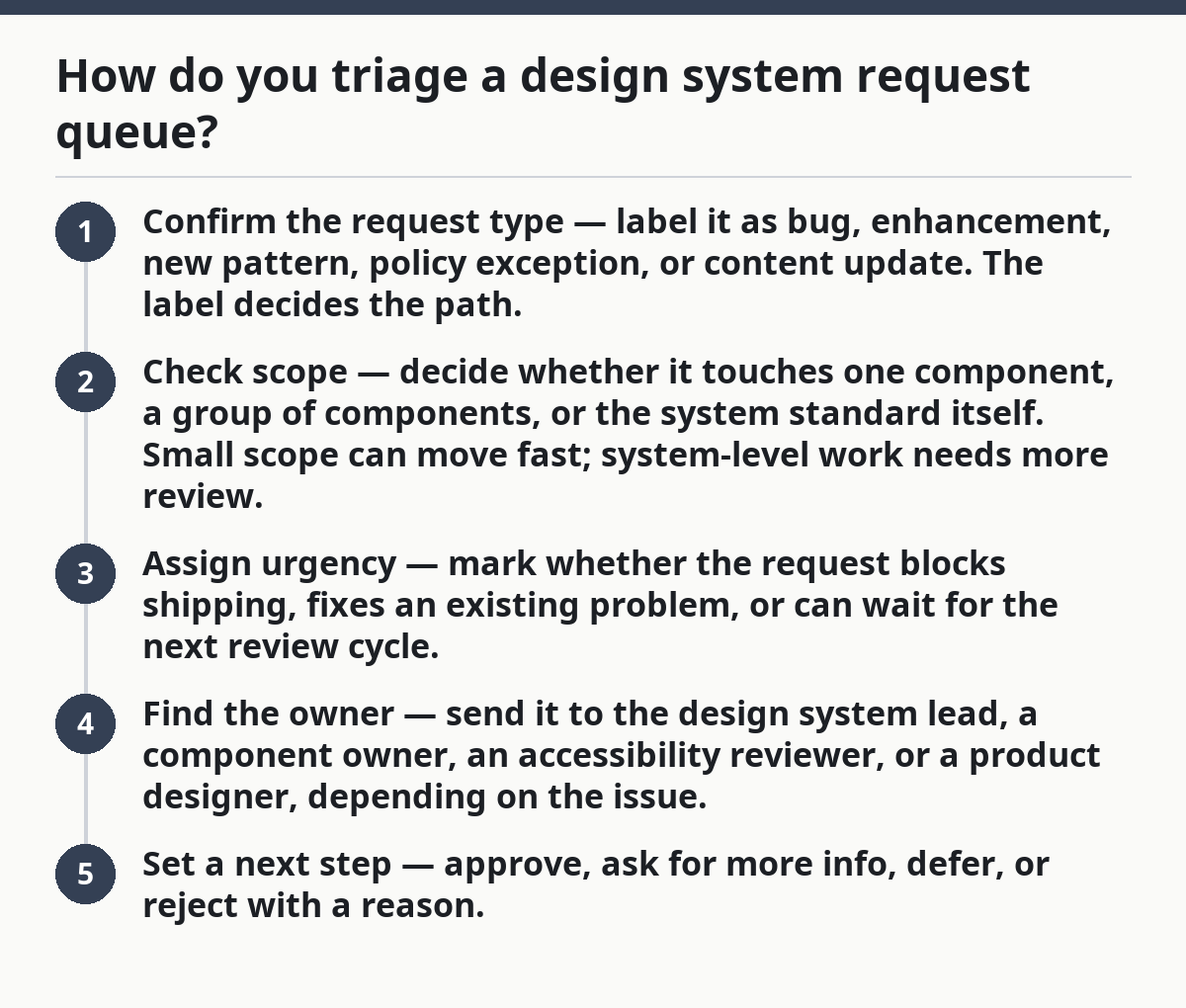
Use this triage flow:
- Confirm the request type — label it as bug, enhancement, new pattern, policy exception, or content update. The label decides the path.
- Check scope — decide whether it touches one component, a group of components, or the system standard itself. Small scope can move fast; system-level work needs more review.
- Assign urgency — mark whether the request blocks shipping, fixes an existing problem, or can wait for the next review cycle.
- Find the owner — send it to the design system lead, a component owner, an accessibility reviewer, or a product designer, depending on the issue.
- Set a next step — approve, ask for more info, defer, or reject with a reason.
A triage meeting does not need to be long. Many teams do it once a week for 30 minutes. That cadence is enough if the queue is small to mid-sized. If you wait a month, the queue stops being a queue and becomes a graveyard of old asks.
How do you prioritize component requests?
You prioritize component requests by scoring them against impact, urgency, reuse, and risk instead of by who asked first. That keeps the queue honest when several teams want the same work at once.
For example, two teams may want a new card pattern, but one request affects a public checkout flow and the other affects an internal dashboard. If you treat them as equal, you may slow the higher-value work and frustrate both teams.
A simple prioritization model works well:
- User impact — does the change affect a lot of users or a single flow?
- System reuse — will many teams use it, or is it one-off?
- Risk — does it change a core token, shared component, or accessibility behavior?
- Effort — is it a small tweak or a larger design and review cycle?
- Deadline — is there a real release date or just a preferred date?
You do not need a heavy scoring sheet with fake math. A 3-level label such as high, medium, and low is enough for many queues. What matters is that the rules are written down and used the same way every time. For more on prioritization and product decision-making, Atlassian’s prioritization guidance is a useful reference: https://www.atlassian.com/agile/product-management/prioritization.
The catch: do not let urgency override impact unless the request truly blocks delivery. “We need it this week” is not a priority method. It is a sentence in a Slack thread.
A good queue also shows trade-offs. If you pull in a high-risk component change, something else waits. Put that delay in the queue notes so the cost is visible, not hidden.
Who should own approval routing and review cadence?
Approval routing should belong to one named queue owner, and review cadence should be fixed, usually weekly, so requests do not drift between people. If no one owns the route, every handoff turns into a guess.
For example, a request may need design, accessibility, and content review. Without a route, three people assume someone else will comment. With a route, the queue tells each reviewer when to act and what to check.
A practical routing setup looks like this:
- Queue owner — keeps the queue current, runs triage, and updates status
- Design system lead — reviews system-level changes and exceptions
- Component owner — checks fit with the existing pattern
- Accessibility reviewer — reviews changes that affect focus, contrast, labels, or keyboard behavior
- Content reviewer — checks labels, helper text, and error copy when wording changes
Set a review cadence that matches the volume. A small queue may need a 30-minute weekly review. A busier system may need two short sessions a week. The point is regular rhythm, not long meetings. For accessibility review expectations, see WCAG 2.2 from the W3C: https://www.w3.org/TR/WCAG22/.
Use one status model across the queue:
- new
- needs info
- in triage
- in review
- approved
- deferred
- closed
That status list sounds basic. It works because everyone can read it at a glance.
If you want this queue to connect to the larger operating model, link it to the broader Design System Operations — The Complete Guide. The queue is one working part of that system, not the whole machine.
What should the queue look like once it is running?
Your queue should look like a short, readable list with enough detail to make a decision in under 1 minute per item. If each line needs a meeting to interpret, the queue is too vague.
For example, you can open the queue on a Tuesday and instantly see which request is waiting, which reviewer owns it, and which items need more information. That visibility is the whole point.
A useful queue row usually includes:
- request ID
- title
- request type
- submitter
- priority
- owner
- status
- target review date
- link to assets or notes
Keep the queue sorted by status first, then priority, then age. That helps the team see what is blocked and what has been sitting too long. If you prefer Kanban, use the same labels on the cards so the board and the list match.
Two common mistakes cause most queue pain:
- Mixing intake and decision-making — the form collects the ask, but the queue tracks the decision. If both happen in the same place, nothing is clear.
- Letting exceptions pile up — one-off approvals feel small until they rewrite the system. Capture every exception and decide whether it becomes a new standard.
A queue is not a parking lot. Items need a next step or a closed status. If the same request sits untouched for 2 weeks, the system is telling you the rules are missing, not the submitter.
How to keep the queue useful over time
You keep the queue useful by reviewing it against the work it actually creates, not by adding more fields every month. A queue that grows without cleanup turns into a junk drawer.
For example, six months in, the queue may have 80 rows, half of them stale, and no one trusts the priority labels. That happens when no one closes old items, merges duplicates, or removes fields nobody uses.
Set three maintenance habits:
- Weekly cleanup — close finished items, merge duplicates, and move inactive requests to archived status.
- Monthly rule check — look at the last 10 requests and ask whether the intake form captured what reviewers needed.
- Quarterly review — check whether the priority rules still match the design system’s current goals and staffing.
You should also watch for missing patterns. If the same request type keeps showing up, that is a sign the system needs a new component, a clearer guideline, or a better default. If a request keeps getting rejected for the same reason, the queue is exposing a policy gap.
Because the queue shows recurring friction, many teams make a mistake: they treat it as admin work. It is actually operating data. It shows where contributors are stuck, where reviews slow down, and where the design system is out of step with product needs.
FAQ
Who should triage design system requests?
The queue owner should triage design system requests, often with help from the design system lead or a component owner. The person triaging needs enough context to sort requests in 5 minutes, route them correctly, and keep the queue moving. If a request affects accessibility or policy, bring in the right reviewer at the triage stage.
How do you prioritize component requests?
You prioritize component requests by impact, reuse, risk, effort, and deadline, then rank them against other items in the queue. A request that changes a shared component for many teams should usually outrank a one-off variation. If two requests tie, pick the one that reduces future work or blocks shipping.
What belongs in a request queue?
A request queue should hold the request title, type, submitter, team, priority, owner, status, target date, and links to examples or assets. It should also record the triage decision and any approval notes. If a field never helps a reviewer make a decision, leave it out.
Drafted with AI; not yet reviewed by a person.