Last updated: November 19, 2026
Quick Answer: 4 frames and 1 clear decision question are enough for a useful FigJam product discovery workshop. FigJam is a strong place to run How to Use FigJam for Product Discovery Workshops when you need one shared board, clear sticky-note work, and fast group decisions. The steps below show how to set up the board, guide stakeholders, and leave with a map you can act on.
Key Takeaways
- Build the board around the decision you need, not around a blank canvas.
- Use one frame per exercise so the group knows what comes next.
- Keep brainstorming, sorting, and deciding as separate moves.
- Journey maps and affinity maps work best when you pre-label the lanes.
- FigJam helps stakeholders stay in the same place, but it does not make the workshop run itself.
What FigJam should do in a discovery workshop
FigJam should hold the workshop, not replace the thinking. For discovery work, that means giving you a place to capture user problems, cluster themes, compare evidence, and make a call in the same 60 to 120 minute session.
Picture this: you have product, design, research, and one or two stakeholders in the room, and everyone needs to agree on the problem before anyone sketches a solution. FigJam works best here as the shared workspace because sticky notes, shapes, and comments keep the group in one place while you move from idea to decision.
The catch is that FigJam can also turn into a note dump if you open it with no structure. A blank board invites wandering. A board with frames, labels, and a timer keeps people moving.
Use FigJam when your workshop needs:
- a visible agenda
- sticky-note exercises
- journey maps or affinity maps
- quick votes or dot-style prioritizing
- a record you can share after the session
Do not use it as a substitute for a bad discovery question. If you do not know what decision the workshop should support, the board will just collect noise. That is true in a 30-minute sync and in a 3-hour session.
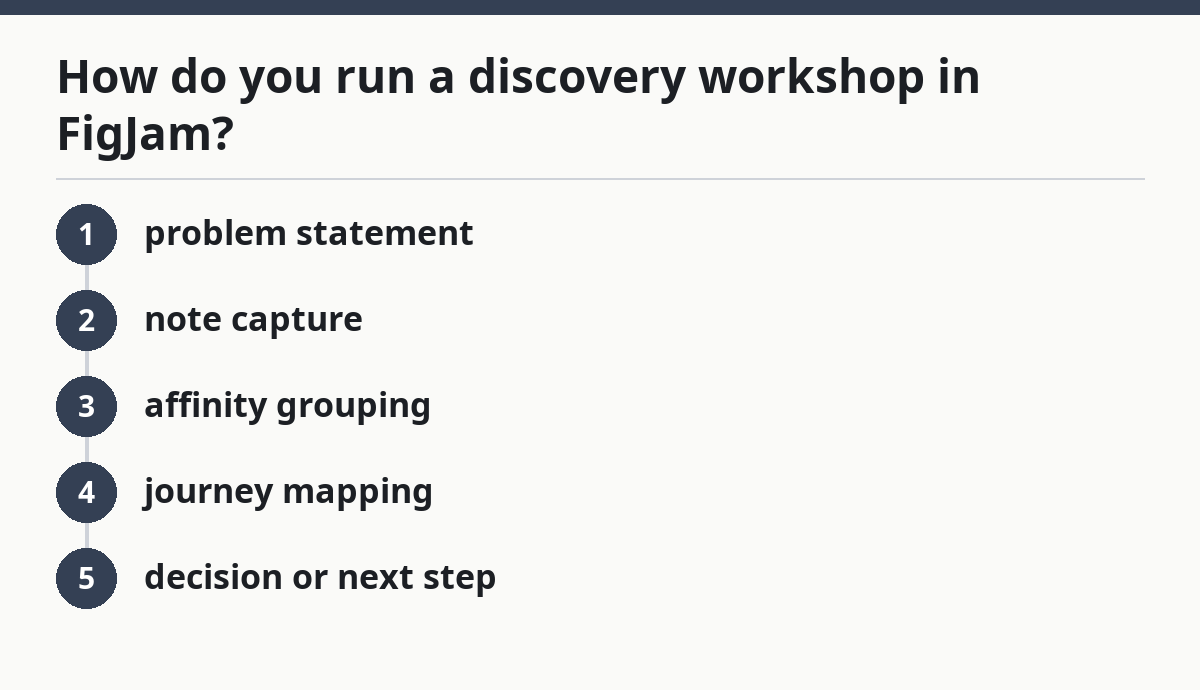
How do you run a discovery workshop in FigJam?
You run a discovery workshop in FigJam by setting up the decision first, then moving the group through a short chain of exercises: frame the problem, collect notes, group themes, map the journey, and end with a decision. That is the order that keeps people from jumping to fixes too early.
Start with the outcome you need in writing, even if it is only one sentence. For example: “Decide which user problem deserves the first experiment.” That sentence tells you what goes on the board and what stays off it.
Use a simple workshop structure:
- problem statement
- note capture
- affinity grouping
- journey mapping
- decision or next step
A 90-minute discovery workshop usually needs only one primary path through the board. If you add more than three major exercises, the pace starts to drag. That is when stakeholders begin talking over the activity instead of through it.
A good FigJam workshop also has a visible timer and a clear turn-taking rule. For example, give people 5 minutes to add notes silently, then 10 minutes to group them, then 10 minutes to discuss the top cluster. The rhythm matters. Without it, the loudest voice wins.
Set up your FigJam board before anyone joins
Set up your FigJam board before anyone joins by creating frames for each stage, writing the prompt inside each frame, and placing one example sticky note where people can see the format. That takes about 15 minutes and saves the first half of the workshop from confusion.
Picture this: the meeting starts, and nobody has to ask where to type. The agenda is already on the board, the instructions sit beside each frame, and the first exercise starts in under a minute.
Build the board in this order:
- Put the workshop title at the top.
- Add a one-line decision question.
- Create one frame for each exercise.
- Label each frame with a short action word like “Capture,” “Sort,” or “Decide.”
- Add a small timing note in each frame.
- Drop in one sample sticky note or card.
- Leave a blank space for parking-lot items.
A clean setup also needs visual limits. Use frames to separate sections, because a long scrolling board makes it hard for stakeholders to know where they are. If the workshop has 4 stages, give each stage its own frame. If it has 6, consider trimming it. More frames usually means less focus.
The board does not need fancy design. A discovery board is not a portfolio piece. It needs to be readable on a laptop screen and easy to scan in 10 seconds.
Which FigJam exercises work best for product discovery?
The most reliable FigJam exercises for product discovery are sticky-note capture, affinity mapping, journey mapping, and quick prioritization. Those four moves cover most early discovery needs without dragging the group into solution mode.
Picture this: you want to know where users struggle, where the team disagrees, and which issue deserves attention first. FigJam supports that flow well because each exercise has a different job, and the board can hold all of them side by side.
Use this mix:
- Sticky-note capture: ask each person to add one idea, quote, or pain point per note. Keep this to 5 to 7 minutes so notes stay fresh.
- Affinity map: group similar notes into clusters. Ask the group to name each cluster with a plain-language label.
- Journey map: place the user’s steps across a timeline and add pain points under each step.
- Priority vote: give each person 3 votes and ask them to mark the problems that matter most.
These exercises work because they separate input from judgment. If you ask people to brainstorm and decide at the same time, the room gets messy fast. A sticky-note round creates raw material. An affinity map turns the noise into themes. A journey map shows where those themes happen. A vote shows what to tackle first.
One practical rule: do not ask for polished wording on the first pass. A rough note like “payment error feels random” is better than a neat sentence that hides the real complaint. Clean the language later.
How to build journey maps and affinity maps in FigJam
You build journey maps and affinity maps in FigJam by laying out a simple structure first, then sorting notes into that structure after the group has captured evidence. That is the right order because the map should reflect what people said, not what you hoped they would say.
For an affinity map, create 3 to 6 empty columns or zones before the workshop begins. Label them with broad buckets only if you must, such as “Onboarding,” “Pricing,” or “Support.” During the session, move sticky notes into the zones and rename the clusters once the pattern is obvious.
For a journey map, draw a horizontal line with 5 to 7 stages, such as “Trigger,” “First visit,” “Comparison,” “Signup,” “Use,” and “Return.” Under each stage, add rows for actions, feelings, and pain points. That gives the group a place to put evidence without mixing steps and outcomes.
A common mistake is trying to make the map look finished too early. Don’t. A discovery journey map is a working model. If a cluster is weak, leave it weak and mark it for follow-up. If a stage is unclear, flag it with a question mark. A useful map can show uncertainty.
Journey maps are not only for the customer’s path through the product. They can also show the path to trust, the path to first value, or the path to failure. Pick the path that matches the decision you need. One board. One question.
How do you keep stakeholders useful, not loud?
You keep stakeholders useful, not loud, by giving them a job in the room and a rule for when to speak. FigJam makes it easy to join, but that also means it makes it easy to interrupt. The board needs a format that slows that down.
Picture this: a stakeholder opens the call and starts problem-solving before the group has finished the evidence round. If you do nothing, the workshop shifts from discovery to opinion in under 2 minutes.
Use these controls:
- Ask stakeholders to add notes silently first.
- Give them one lane for “questions” and one lane for “assumptions.”
- Use comments for follow-up, not live debate.
- Name a facilitator who can park side topics.
- Put the decision rule on the board, such as “We choose the top theme by evidence, not by rank in the org chart.”
You also need a simple way to capture dissent. A stakeholder who disagrees but has nowhere to put that disagreement will keep talking. A labeled “parking lot” frame solves that problem fast. It lets the group move on without pretending the disagreement does not exist.
On the flip side, do not shut stakeholders out completely. Discovery fails when the board becomes a designer-only artifact. The point is to use FigJam to make the discussion visible, not to stage a private ceremony.
What usually goes wrong in FigJam workshops?
FigJam workshops usually go wrong when the board is too open, the prompts are too vague, or the facilitator lets one activity blend into the next. Those mistakes waste time and blur the decision.
Picture this: you planned a discovery workshop, but 20 sticky notes all say different versions of the same thing, nobody can tell which issue matters, and the session ends with “let’s revisit this next week.” That is a board problem as much as a people problem.
Common mistakes and the cost:
- No frame structure: people lose the thread and stop adding notes.
- Vague prompts: the board fills with opinions instead of evidence.
- Too many exercises: the session feels busy but goes nowhere.
- No decision rule: the loudest theme wins by default.
- No follow-up space: the board gets abandoned after the call.
The fix is simple but strict. Limit each exercise to one job. Write the prompt as an action, not a topic. “List top user pain points” works better than “Discuss problems.” Keep the board visible enough that latecomers can catch up in a glance.
A FigJam board is not a workshop by itself. It is a container. If the container is messy, the output will be messy too.
What should you do after the workshop ends?
You should turn the FigJam board into a short decision record within 24 hours so the discovery work does not vanish into a link nobody opens. That next step matters because workshops create alignment in the room, but the team still needs a fileable result.
Picture this: the session ends, the board is full, and three people already think it means three different things. A clean wrap-up stops that drift.
After the workshop:
- Export or copy the board’s key frames if your team needs a static record.
- Pull out the top themes and the final decision.
- Write down open questions that need more research.
- Name the owner for each follow-up item.
- Share the board with the stakeholders who missed the session.
A good handoff includes the problem statement, the strongest evidence, and the next action. If you leave any one of those out, people will fill the gap with guesswork. That is how discovery gets re-litigated in the next meeting.
If you want a broader setup for team workflows, the hub page on Figma for Product Teams is the right place to branch out from here. Keep this page for the workshop itself.
FigJam product discovery workshop checklist
FigJam product discovery workshop setup works best when the board is small, the steps are ordered, and the decision is visible from the start. If one of those three is missing, the session tends to drift.
Use this checklist before you send the invite:
- One decision question on the board
- One frame per exercise
- One timer plan
- One parking lot
- One clear owner for notes and follow-up
- One path from notes to decision
The simplest version is often the best one. A 90-minute workshop with 4 frames and 3 clear exercises will usually beat a sprawling board with 10 moving parts. That is true even with senior stakeholders in the room.
What is figjam used for?
FigJam is used for collaborative whiteboarding, note capture, mapping, and group decisions. In product work, it is especially useful for workshops where people need to sort ideas, map a journey, or agree on a shared problem. It works best when the board has structure and a facilitator keeps the pace moving.
How do you run a discovery workshop in figjam?
You run a discovery workshop in FigJam by preparing the board before the meeting, then guiding people through capture, sorting, mapping, and deciding. Start with one clear question, use short timed exercises, and end with a written next step. The board should help the group decide, not just collect notes.
Can figjam replace whiteboarding tools?
FigJam can replace a basic whiteboarding tool for many discovery workshops, but not every job. It handles sticky notes, frames, voting, and workshop flow well. If you need advanced diagramming, deeper documentation, or another team already standardizes on a different board, FigJam may not be the best fit.
Drafted with AI; not yet reviewed by a person.